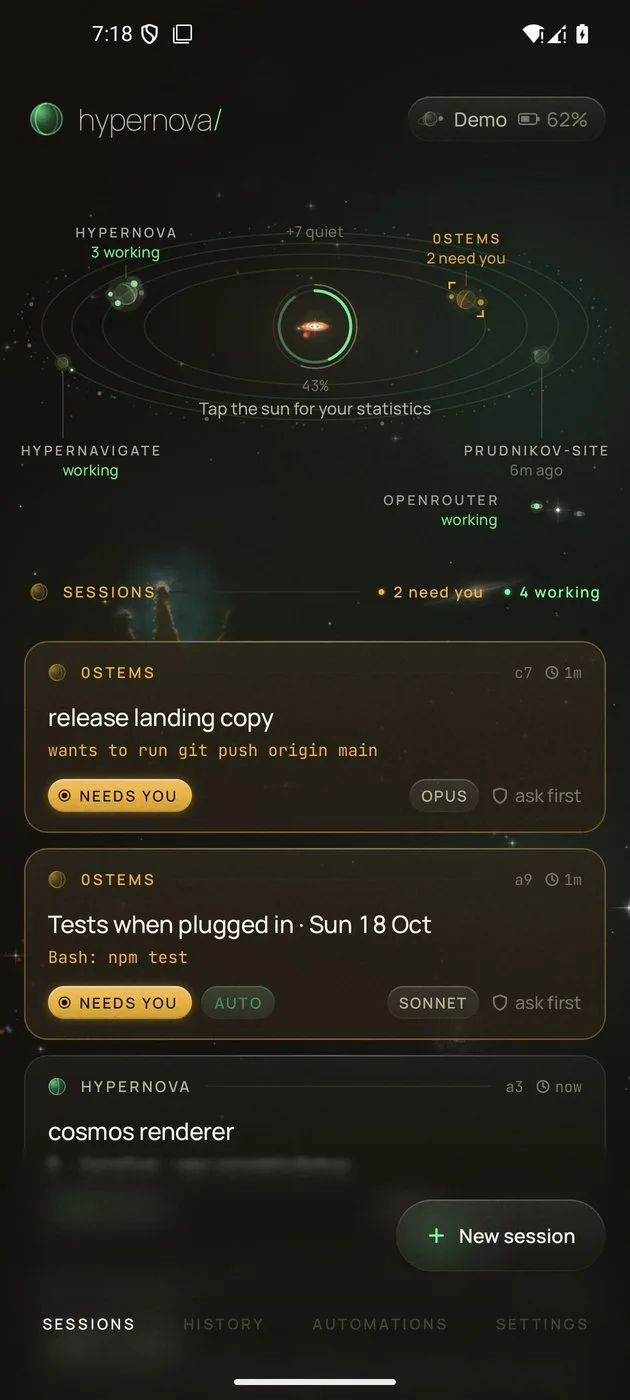
0STEMSc7 ⏱ 1m
release landing copy
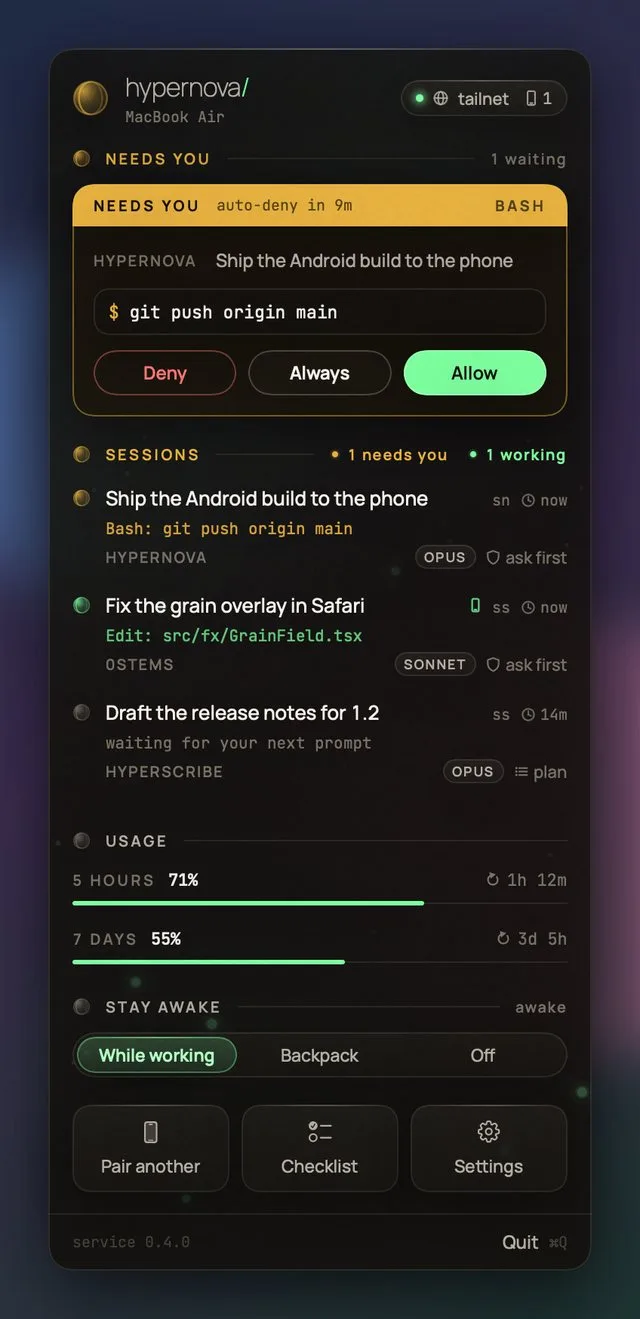
wants to run git push origin main
Needs youOpusask first
Watch, approve and steer the coding agents on your Mac or Linux server from your Android phone, the Mac's menu bar and Even Realities G2 glasses. It runs on your own machine, with no Hypernova server in between.
Free and open source. Alpha: used every day, built with Claude Code.
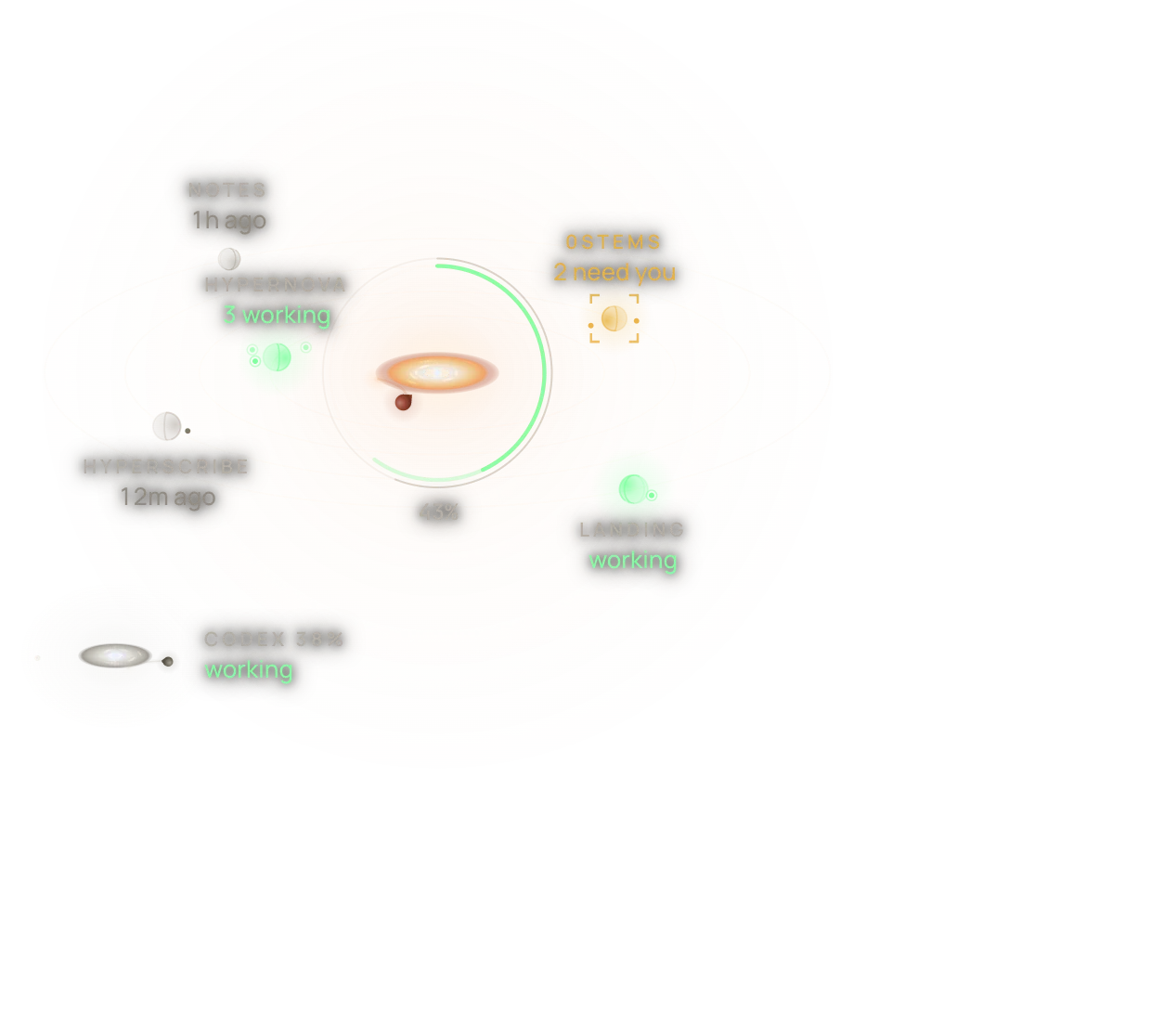
An illustration of the app's Home: the sun is an accretion disk showing 43% of the 5-hour window used, with projects as planets round it (two working, one that needs you) and Codex's smaller star at the edge.
Coding agents do their best work when you let them run, and they need you at the worst moment: a command to approve, a question to answer, a limit to wait out. Hypernova keeps you in the loop wherever you are: the phone is your window, the glasses your screen and your voice the keyboard.
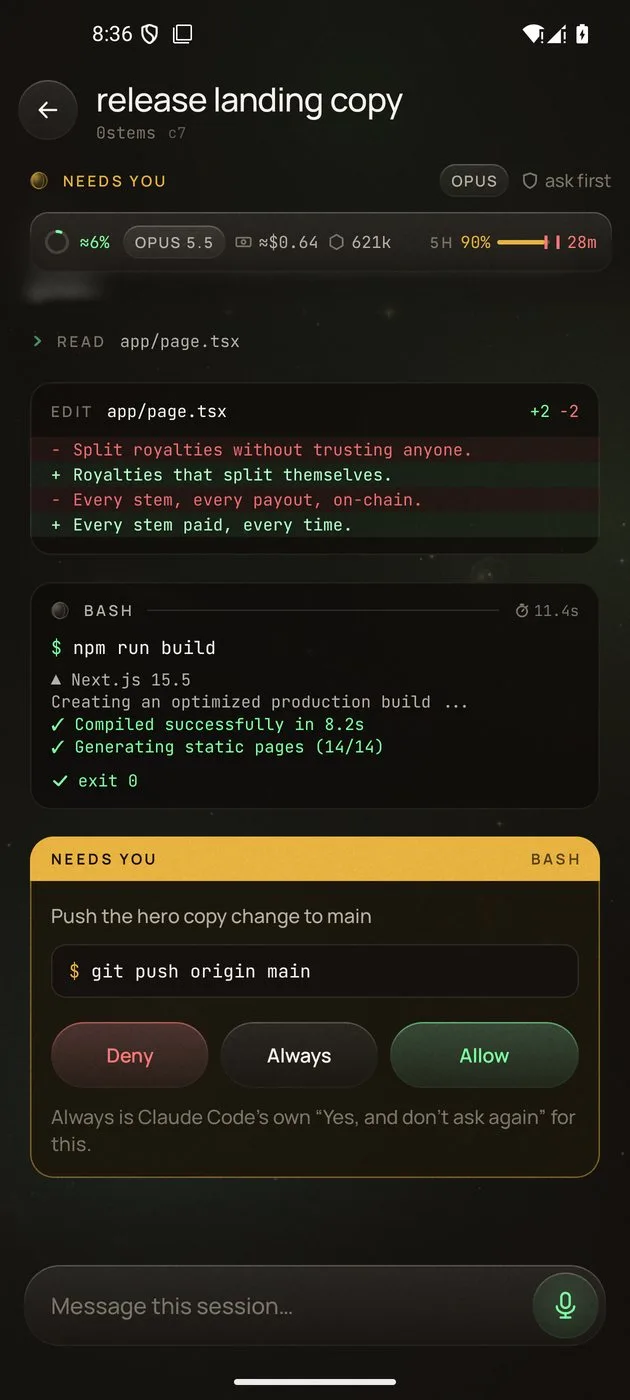
wants to run git push origin main
Edit: android/…/fx/Disk.kt
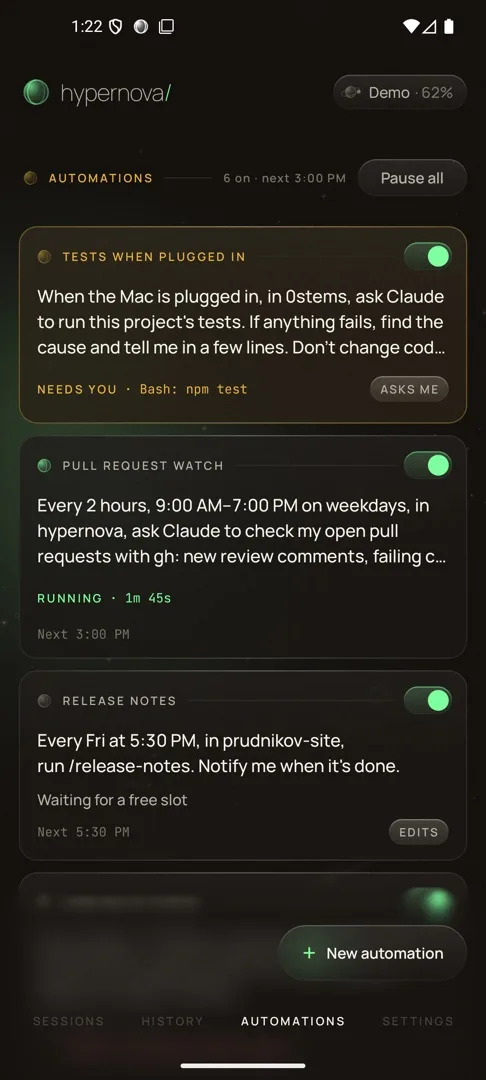
Bash: npm test
Hypernova's service runs next to your agents, on your own machine. The phone and the glasses pair with any of these the same way.
The menu bar app installs and runs the service, connects Claude Code and Codex, sets up Tailscale and pairs your phone with a QR code. A planet in the menu bar turns while anything works and shows a dot when something needs you.
Install on a MacThe same service as a systemd user service on an always-on machine, run as the hypernova command over SSH. Tailscale is built in, and hypernova pair shows the pairing code right in the terminal.
Build the image from a checkout and run it with a volume for its state. Nothing is published to the network; sign in to Claude once and pair with hypernova pair inside it.
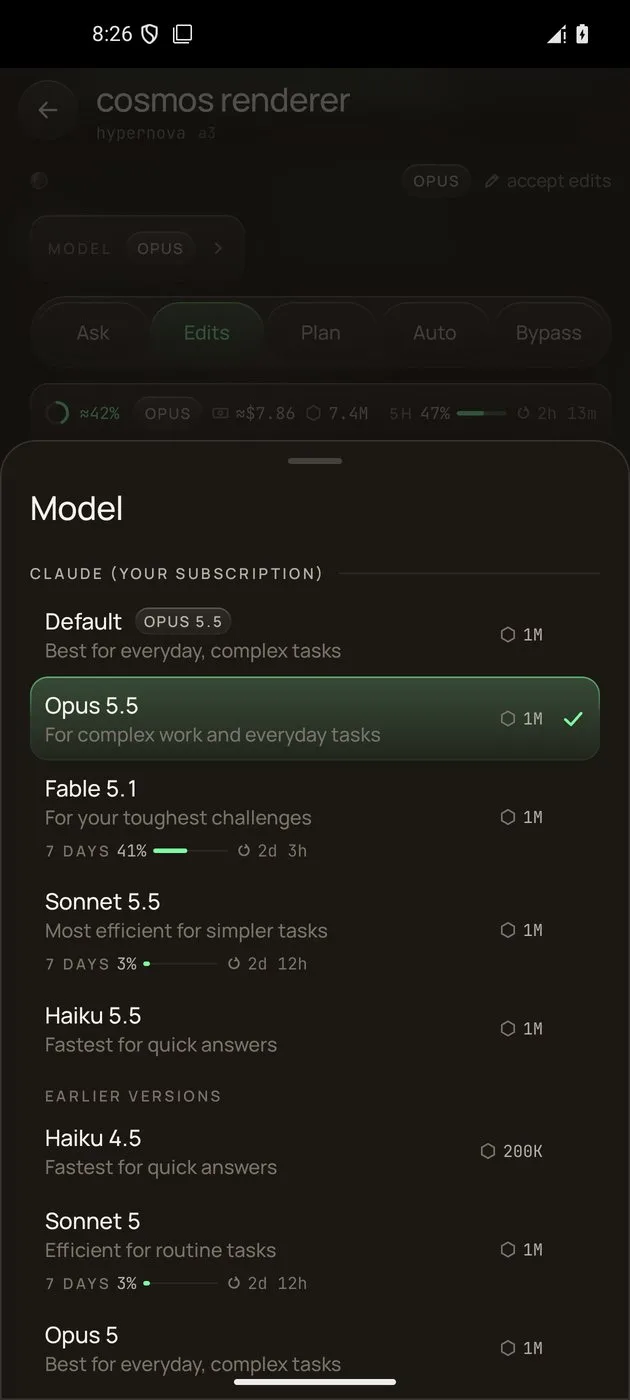
The Android app is a native app, not a web page: live sessions, approvals, the real terminal, voice, files and usage, drawn as a night sky.
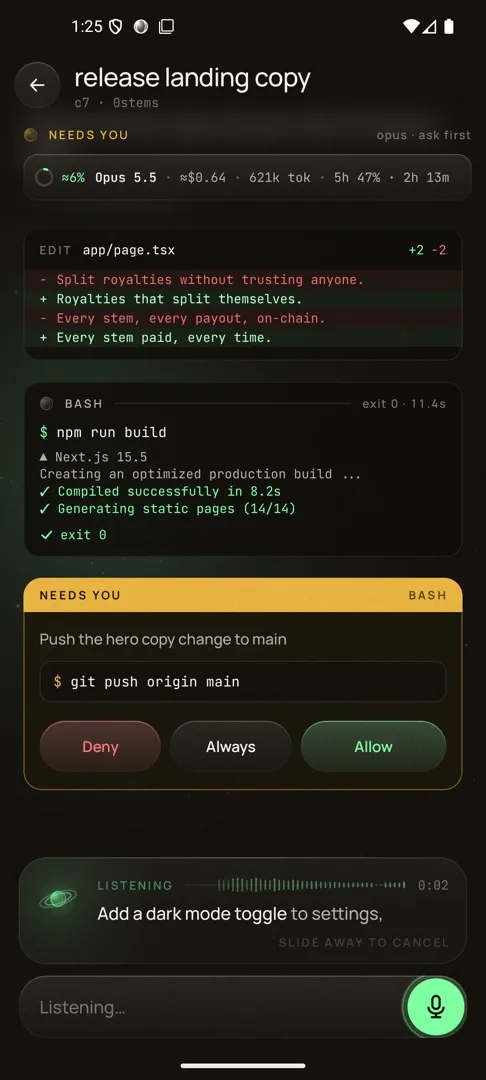
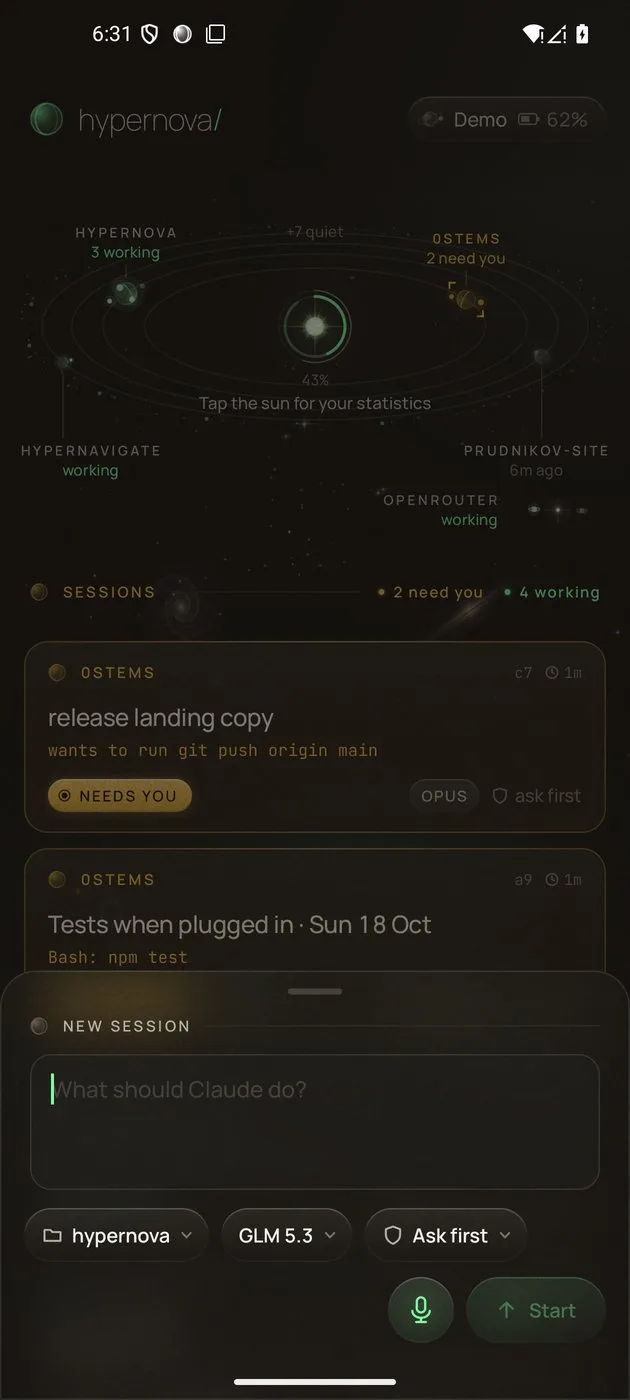
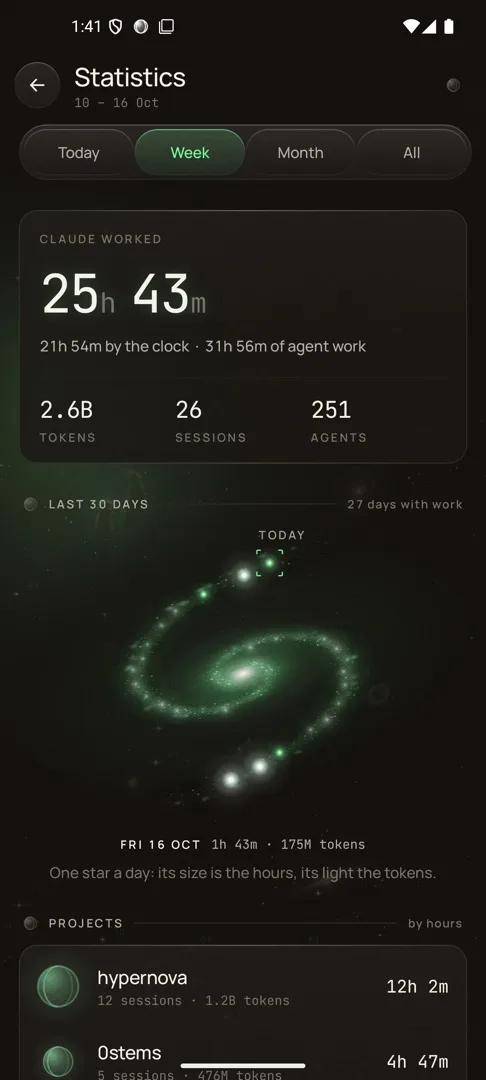
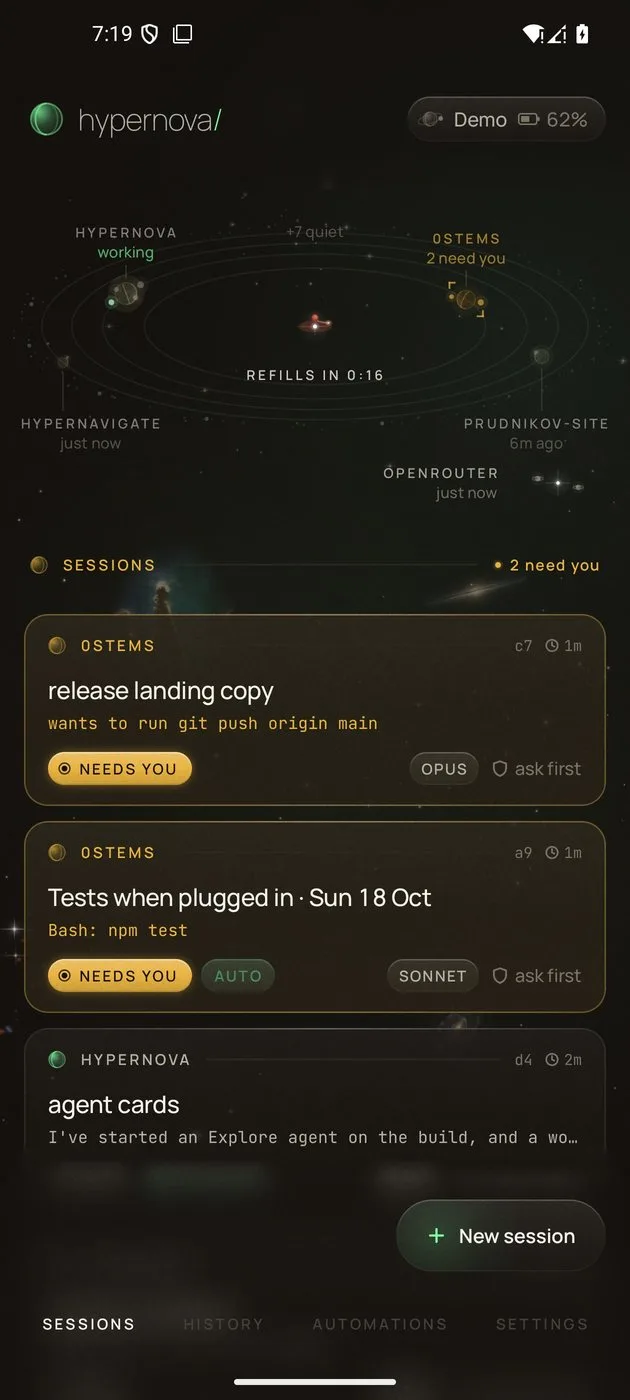
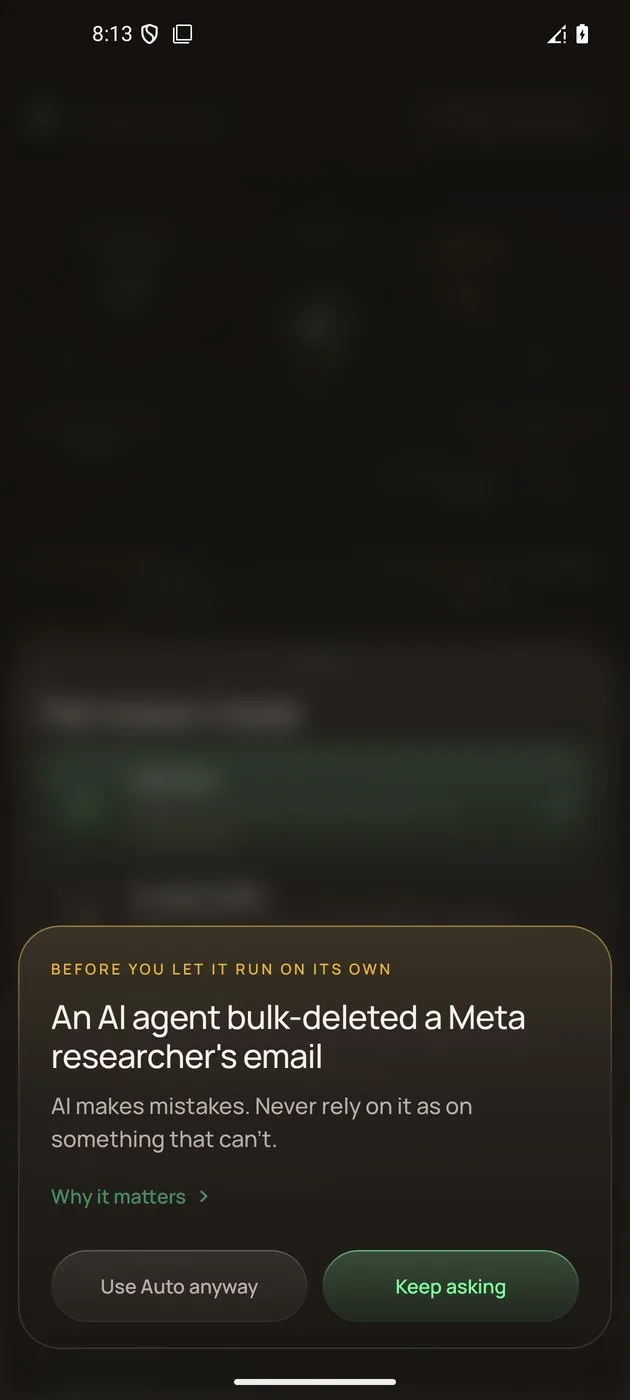
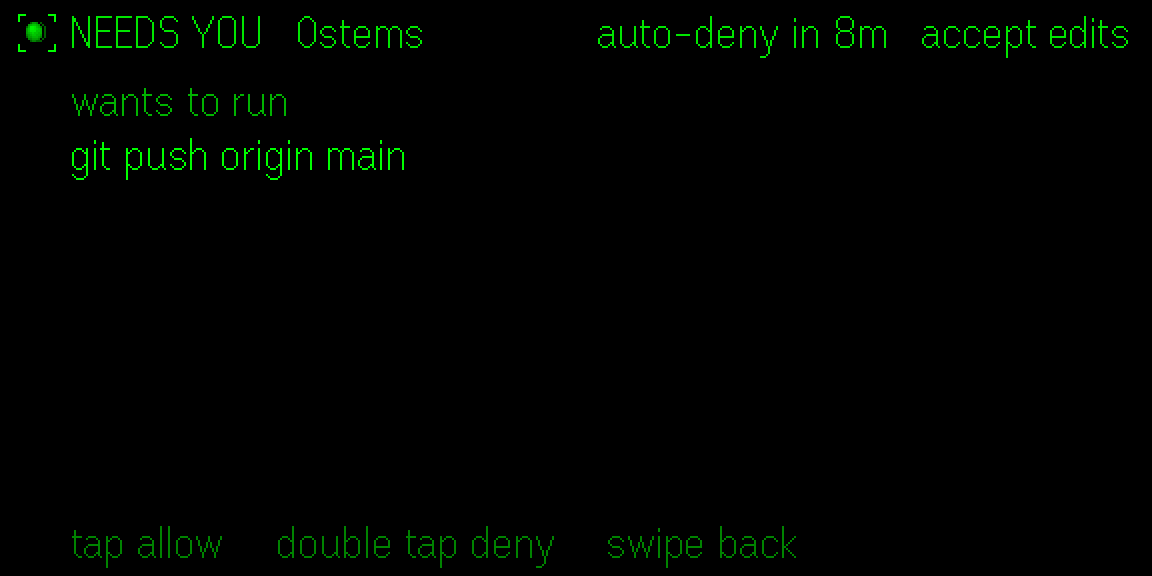
A command to run, a file to edit, a question, a plan to approve: each request reaches you with what it wants to do, on the phone, in its notification, in the menu bar and on the glasses. Allow or Deny it (or Always, for Claude Code). Risky commands get a second look, and Bypass mode asks you to think twice first.
HypernovaShip the Android build to the phone
$ git push origin main
Use either one or both. Each session runs on its own agent with its own usage. The agent that leads is the sun; the other is a second, smaller star with its own sessions round it. Switch a conversation to the other agent mid-chat: it carries on in a new session in the same folder, with what you chose to carry over, linked to the old one.
Codex goes on with this conversation in a new session in the same folder, with what you carry over as background. It does nothing until your next message.
Carry overClaude Code and Codex together · Codex on your phone · Usage limits
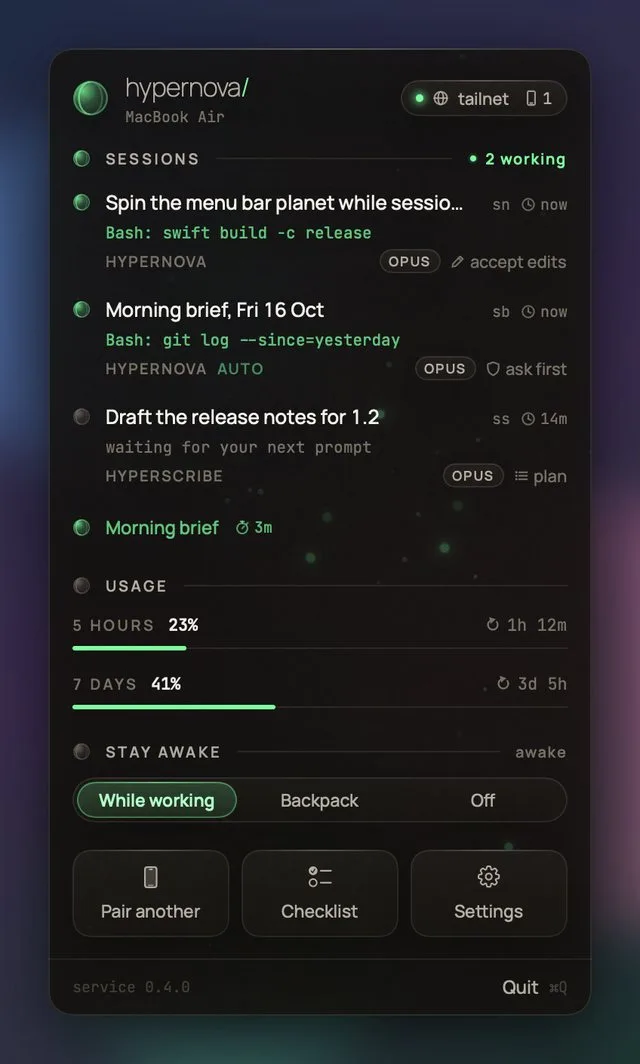
A planet in the menu bar spins while anything works and shows a dot when something needs you. The popover has approvals, sessions in the phone's words, drawn usage meters that show where your pace is heading, Stay awake and automations.
The Mac app also installs and runs the service, sets up the claude shell integration and Tailscale, pairs phones with a QR code and lists the ones you trust, so you can forget one at any time.
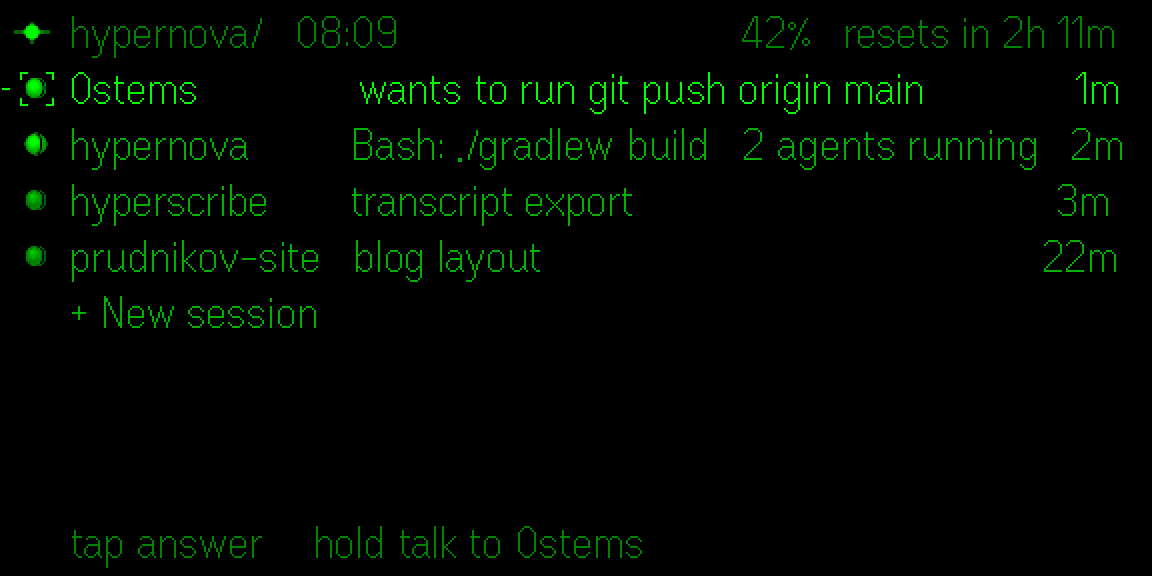
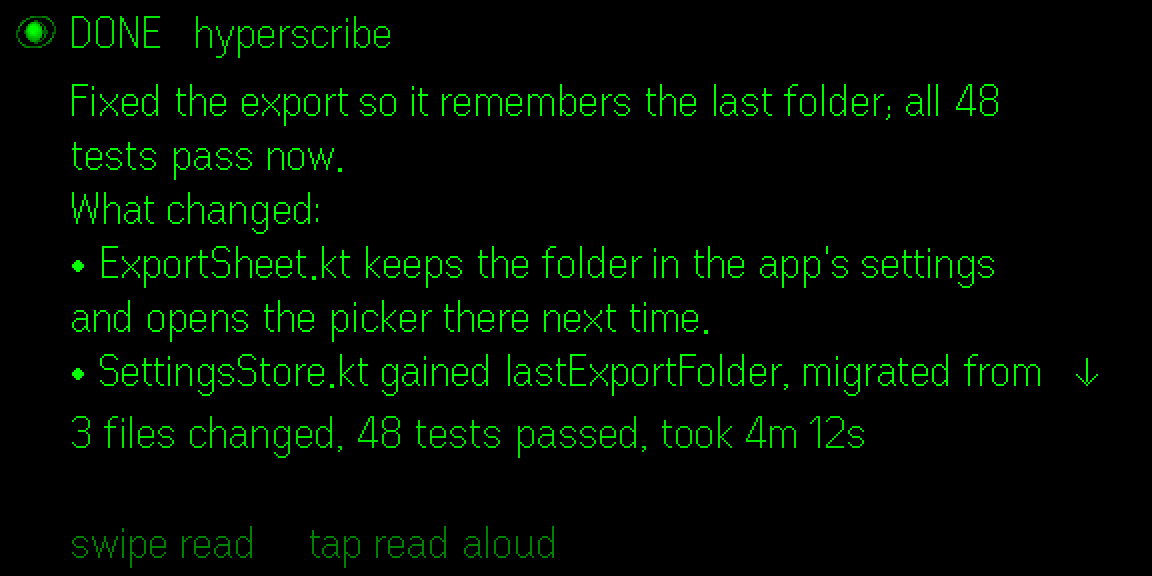
Hypernova Lens runs on Even Realities G2 glasses. Glance at your sessions, hold the temple to talk, approve by tap or by voice (“approve push”), hear results read aloud and look through Telescope, in the glasses' own text and the phone's words. It connects through the Hypernova app on the same phone.
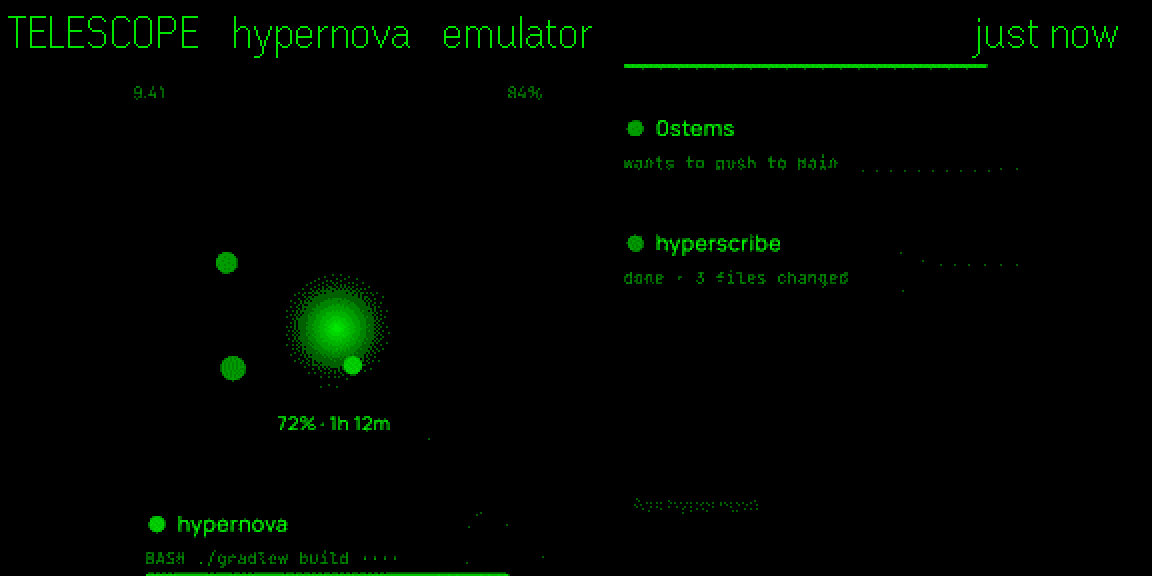
Pair by scanning a QR code or tapping a link. On your Wi‑Fi the phone talks to the host directly over mutual TLS; away from home it uses your Tailscale, the Tailscale app or Hypernova's own built-in node. A connection log shows every decision.
Allow and Deny right on an approval's notification (after unlocking), a Reply field, and attention cards on Home you swipe away, with Undo.
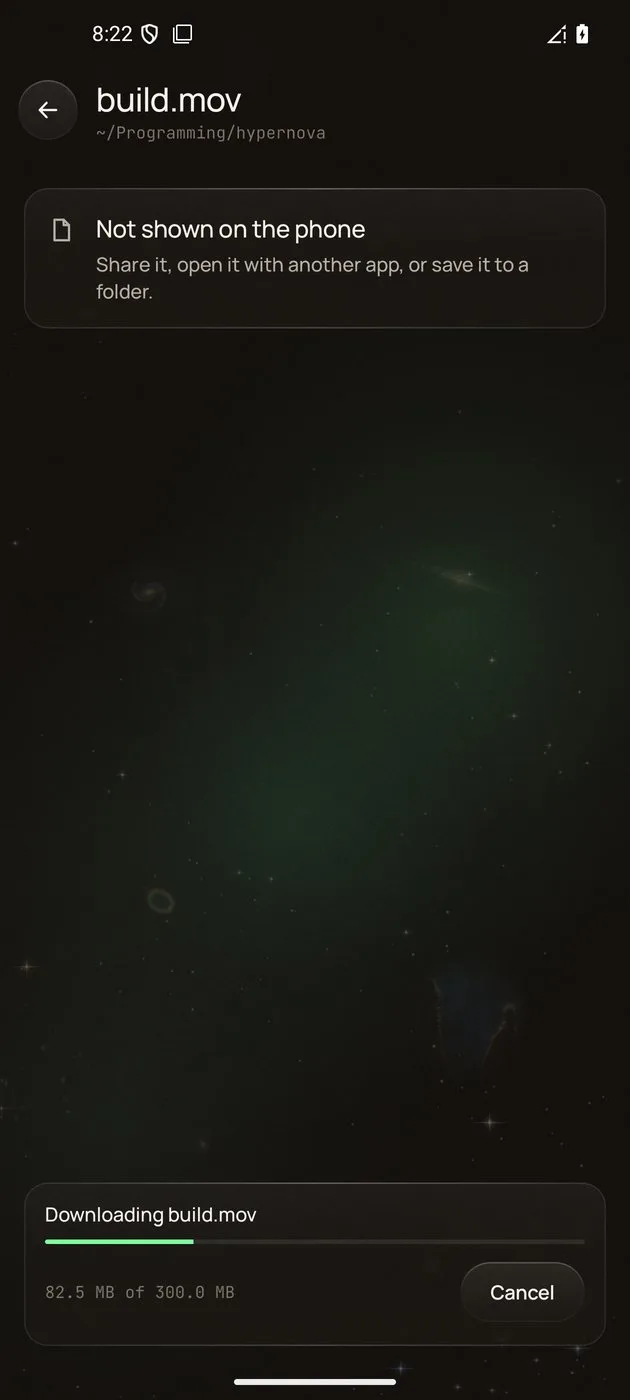
Browse a session's folder, view a file, download it with progress and resume, then Share, Save or Open with it. Files with keys stay on the host.
The Mac hands the phone a newer app, and the app installs it, signed with the same key or not at all.
See what the agent built: the terminal, a local web page, an Android emulator or the iOS Simulator, a window or an image, refreshing live.
Keep the Mac working with its lid closed in a bag, with battery and heat guards, and “+2 h” before Backpack ends.
When a limit lifts, a “Continue now” button when Claude Code would carry on by itself, and other providers' credit and rate limits.
The context ring and session cost, the agent's to-do list, Rewind, quick prompts, what changed (with diffs and a Commit button), the share target, shortcuts and widgets.
Sessions cut short by a reboot wait on Home with “Resume”. History keeps 30 days.
A small service runs next to your agents, on your Mac or your Linux server. The phone reaches it directly on your Wi‑Fi, or over your own Tailscale network from anywhere. No Hypernova server carries your sessions.
Kotlin and Jetpack Compose. Lens on the G2 talks only to this app on the same phone, which carries its calls.
It watches every Claude Code and Codex session through hooks, transcripts and Codex's own app server, and runs the phone's sessions in shared terminals you can also open on the host.
hypernova command, a systemd user serviceThe full contract between the pieces is in PROTOCOL.md.
There is no Hypernova account and no Hypernova server that carries sessions. The only thing hosted is a small name service for pairing and a private name, and it never sees a session, a prompt or a file.
The phone API listens on loopback and is reached through your tailnet or your Wi‑Fi's mutual-TLS listener, with a per-device token and certificate from pairing. Nothing is opened to the internet.
Provider and Soniox keys are never logged, never sent to the phone, and only ever go to their own provider. Hypernova never reads your Claude login.
Only when you turn voice on with your own key. The Mac's own voices are the fallback for reading aloud.
Risky commands need their own verb by voice. Automations never run on usage credits or another paid provider unless you agree, and never close or copy your own sessions.
Apache License 2.0, all of it, Lens included. What runs and is stored where, and what Tailscale, Cloudflare and Let's Encrypt see: the threat model.
One question each, answered from how the app really works.
Watch, answer and start Claude Code sessions on your Mac or Linux server from an Android phone. A free, open source, self-hosted remote control.
Read the guide →Answer Claude Code's permission prompts from an Android phone: Allow, Deny or Always, from the app or the notification, with a 10-minute auto-deny.
Read the guide →Start, follow and approve OpenAI Codex sessions on your Mac or Linux server from an Android phone, next to Claude Code or on its own. Free and open source.
Read the guide →Run Claude Code and OpenAI's Codex side by side from your phone: each with its own sessions and usage, and switch a conversation from one agent to the other.
Read the guide →See Claude Code's 5-hour and weekly limits as Claude Code reports them, where your pace is heading and when each resets, on your phone and Mac.
Read the guide →Reach Claude Code on your Mac or Linux server from anywhere: directly on your Wi‑Fi, or over your own Tailscale network, nothing opened to the internet.
Read the guide →Why an always-on Linux host for Claude Code helps, and how a VPS, a home server or Docker pairs with your Android phone through self-hosted Hypernova.
Read the guide →Install Hypernova on Ubuntu or Debian, or in Docker, to run Claude Code there and pair your Android phone: commands, the systemd service and fixes.
Read the guide →Hypernova Lens puts your Claude Code sessions on Even Realities G2 glasses: a glance at what runs, approvals by tap or voice, replies read aloud.
Read the guide →A control room for Claude Code and OpenAI's Codex. A service on your host watches every session.
The host is a Mac, with a menu bar app, or a Linux machine: a VPS, a home server, a PC or a Docker
container, with the hypernova command. The Android app, the Mac's menu bar and Even Realities G2
glasses show the sessions: live output, approvals to answer, questions, usage and limits. You can
start sessions, reply and approve from wherever you are. See
Claude Code on your phone.
Yes. Hypernova is open source under the Apache License 2.0, Hypernova Lens included. You use your own Claude plan or API key (or another provider, such as OpenRouter or your own gateway), or your own Codex account.
It's alpha software. It's used every day, but expect rough edges and changes between versions. A paired phone can drive the agents on your computer, so read SECURITY.md before you pair one.
No. Hypernova is an independent project and isn't affiliated with Anthropic, OpenAI or Even Realities. Claude and Claude Code are products of Anthropic; Codex is OpenAI's.
No. There is no Hypernova account and no Hypernova server that carries sessions. Everything runs on
your own host, a Mac or a Linux machine. The only hosted piece is a small name service at
hypernova.observer for the pairing page and an optional private name for your host on your
Wi‑Fi; it never sees sessions, prompts, files, pairing codes or tokens.
Sessions live on your host, the Mac or Linux machine. The phone reaches it directly on your Wi‑Fi over mutual TLS, or over your own Tailscale network, where traffic between your devices is end-to-end encrypted. Provider and Soniox keys stay on the host and are never sent to the phone. Your agent still talks to its own provider, exactly as it does in a terminal. The security model lists what each outside party sees.